

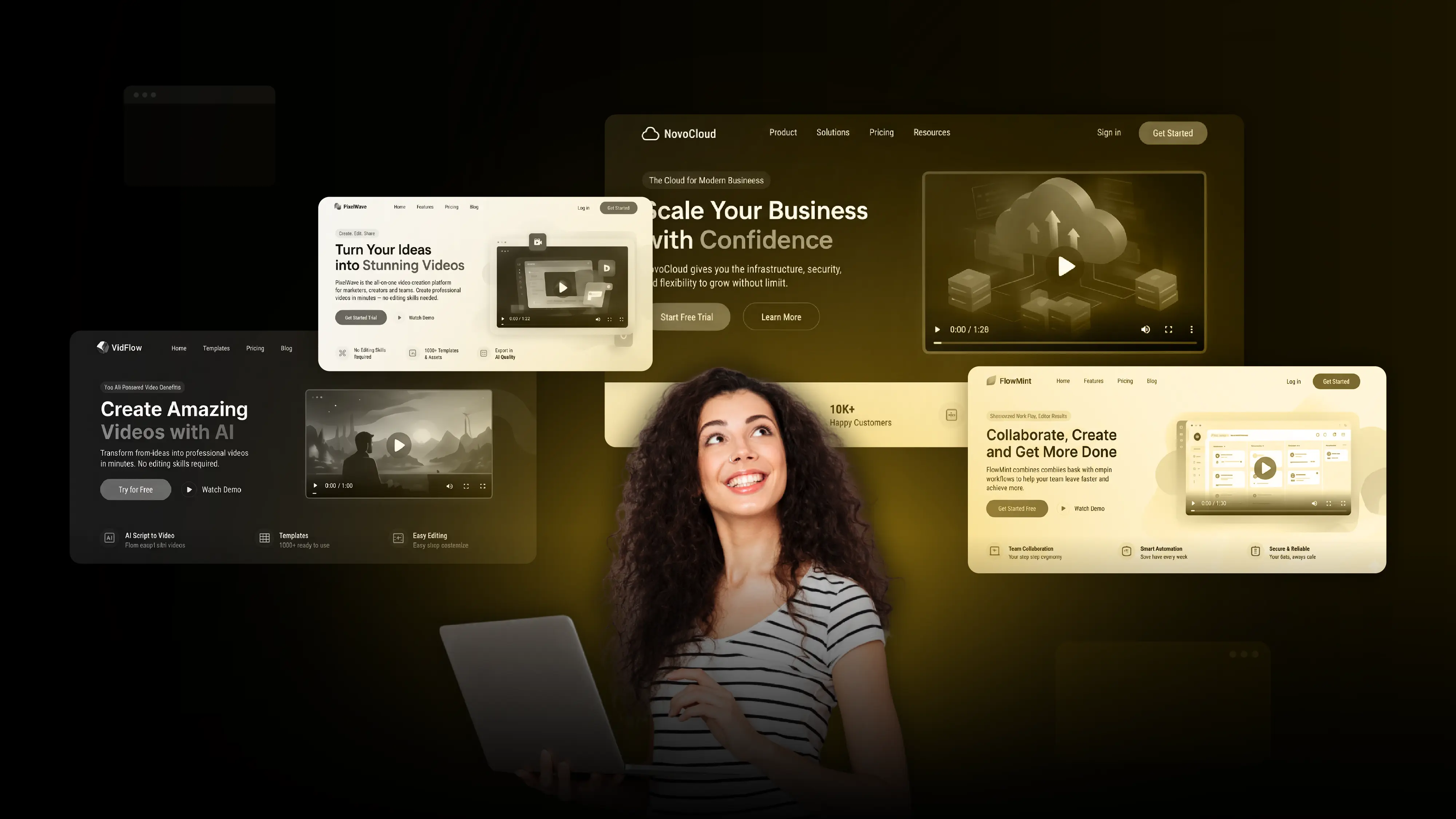
A visitor lands on your SaaS website. They understand the headline, skim the features, and read the benefits. But they still have one question: How does this product actually work?
For simple software, a few screenshots might be enough. For an AI platform, analytics tool, or enterprise application, explaining the product through text alone can leave important questions unanswered.
A product video can show the workflow, demonstrate the product's value, and help visitors decide whether it fits their needs.
But adding a video does not automatically improve conversions. The real question is whether it helps visitors make a decision they could not easily make from the existing page.
Here's how to decide when a product video is worth adding, what it should show, and how to measure its impact.
1. When Does Your SaaS Landing Page Need a Product Video?
Start with the information visitors are missing, not the video format.
A video may be unnecessary if the product is simple and the existing page already explains it clearly. In that case, improving the headline, screenshots, or CTA could be a better use of resources.
The decision rule: Add a video when it answers a specific question that the existing page does not answer well.
2. Show How the Product Solves a Real Problem
SaaS landing pages often describe features without showing how those features help customers complete a task.
Consider an AI reporting platform. Its landing page might list automated data collection, analytics, and report generation. A visitor still has to imagine how those features work together.
A short product video can show the process: connecting data sources, generating a report, and identifying a useful insight.
This connects functionality to an outcome the buyer can understand.
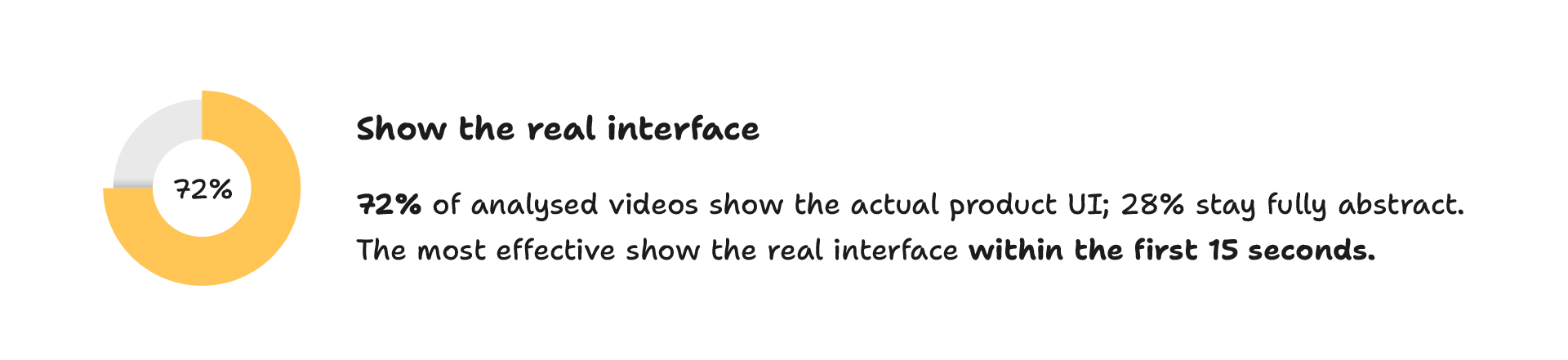
What a Story's analysis of more than 1,000 SaaS explainers and product videos found that 72% showed the real product interface. This is an observed pattern in the analysed videos, not proof that showing a user interface always improves conversions. Read the full SaaS video analysis.
The practical lesson is to choose visuals according to what the visitor needs to understand:
- Use real product screens to demonstrate workflows, dashboards, and functionality.
- Use animation to explain abstract processes, complex systems, or concepts that are difficult to show through a screen recording.
- Combine both when visitors need to understand the concept before seeing how the software implements it.
The aim is not to show every feature. It is to make the product's main value easier to understand.
3. Match the Video to the Visitor's Buying Stage
A visitor discovering your product for the first time needs different information from someone comparing vendors.
This distinction matters because one video rarely answers every buying question equally well.
For example, an explainer video on a homepage may introduce an AI product and its primary benefit. A video on a feature-specific landing page should spend more time demonstrating that feature.
The closer visitors are to a buying decision, the more useful a relevant product demonstration can be compared with a broad introduction.
4. Where Should You Place the Video on Landing Page?
Place the video where it answers the visitor's next question.
Near the headline: Use a short video when seeing the product helps visitors understand the main value proposition. Keep the headline and primary CTA clear without requiring a play.
After the problem-and-solution section: Introduce the problem first, then show the workflow that solves it. This works well for technical products that need context.
Near the demo or trial CTA: Use a focused demonstration to address a remaining concern before asking visitors to take action.
There is no universal best placement. Wistia's 2026 State of Video Report, based on more than 13 million videos and 79 million hours of viewing data, found that homepage and product-page videos receive relatively high play rates. That suggests these pages are natural places for video, but it does not establish that adding one will increase conversions.
Placement should ultimately be tested against the goal of the specific page.
5. How Long Should the Video Be?
Start with the amount of information the visitor needs, not an arbitrary duration.
What a Story's analysis found that 34% of the 1,000+ SaaS videos examined ran for 60–90 seconds. Another 24% ran for 90–120 seconds.
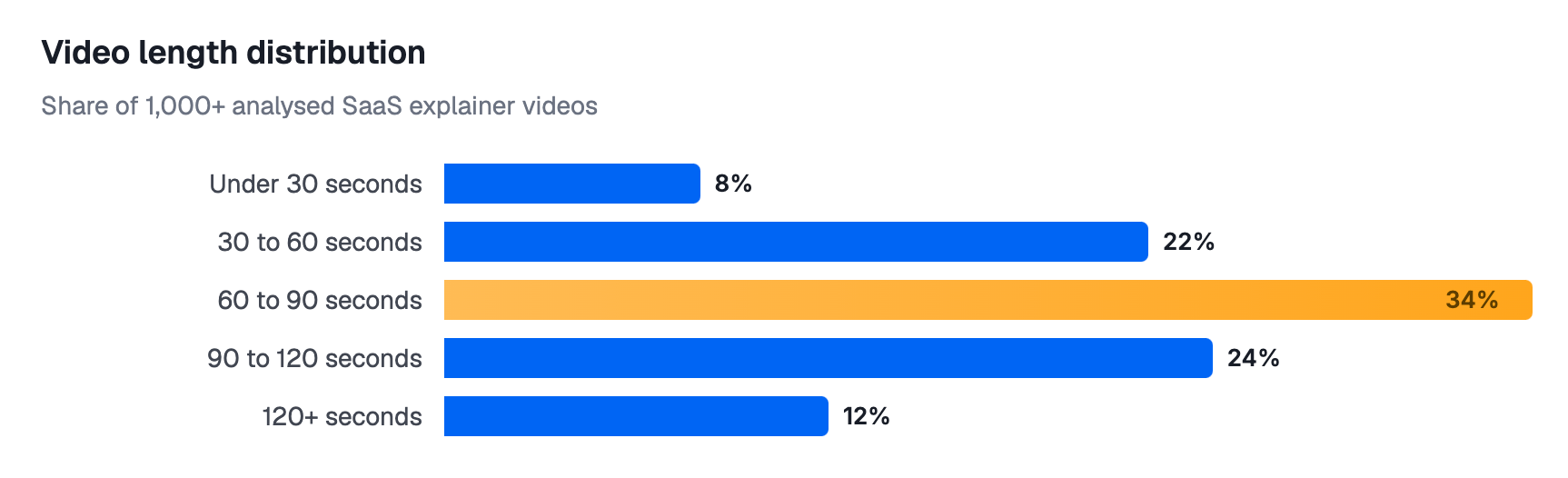
These figures describe common video lengths, not a proven conversion optimum.
For a landing page, a useful starting structure is:
- Problem: Identify the customer's challenge.
- Solution: Introduce the product's approach.
- Demonstration: Show the most relevant workflow.
- Outcome: Explain what the user can accomplish.
- CTA: Direct the viewer towards a trial, demo, or appropriate next step.
A simple product may need less than a minute. A complex enterprise workflow may need longer to demonstrate its functionality clearly.
Avoid compressing several features into a short video simply to meet a duration target. If the visitor cannot follow the explanation, a shorter video has not served its purpose.
For more on structuring the narrative, see our SaaS video script framework.
6. Does a Product Video Improve Landing Page Conversions?
Not necessarily. This is where marketers should distinguish between common practice and measured results.
Unbounce analysed approximately 35,000 customer landing pages in research published in 2021. Its findings showed that pages containing video did not consistently outperform pages without video, and some comparisons favoured pages without video. The dataset covered multiple industries, traffic sources, devices, and conversion goals.
The research is not a current SaaS-specific controlled experiment, but it illustrates an important point: the presence of a video is not a reliable predictor of conversion performance.
A video may help when it resolves uncertainty about the product. It may have little effect when the page already communicates the offer clearly. A slow-loading embed or a distracting autoplay experience may even create friction.
How to test the impact
- Record the current conversion rate for demo requests or trial signups.
- Add a video that addresses a specific information gap.
- Compare versions with and without the video while keeping other major page elements consistent.
- Measure conversions alongside video plays, viewing duration, and CTA clicks.
- Check whether the difference is statistically reliable before drawing conclusions.
- Where possible, assess lead quality or trial activation, not just the number of signups.
For example, if a page receives 10,000 comparable visits and demo requests increase from 300 to 330, the observed conversion rate rises from 3% to 3.3%. That is a 0.3 percentage-point increase, or a 10% relative increase. It is a hypothetical example, not a predicted result; the difference would still need proper statistical evaluation.
7. Don't Let the Video Hurt the Page Experience
A useful demonstration can still underperform if visitors struggle to access or watch it.
Before publishing, check that:
- The video does not autoplay with sound.
- The thumbnail clearly indicates what the visitor will learn.
- The player does not delay the page's main content.
- The primary CTA remains visible and accessible.
- The video works on mobile screens.
- Captions are available, and a transcript can help visitors who prefer reading.
- The product interface is readable and reflects the actual software.
Measure page performance before and after implementation, including Core Web Vitals where relevant. If the video adds little value but introduces loading delays, reconsider its placement or delivery method.
Final Thoughts
A SaaS landing page does not need a product video simply because other companies use one. It needs one when a visual demonstration can answer an important question, explain a workflow, or help the right buyer assess the product.
Identify what visitors are struggling to understand, choose a video format that addresses that problem, and place it where the information is most useful. Then measure whether it improves the outcome that matters to your business.
If your SaaS product is difficult to explain through copy and screenshots alone, a focused product video can give prospective customers a clearer understanding of how it works.
Need a product video for your SaaS landing page? Explore What a Story's explainer video production services to see how a focused demonstration can explain your product and support your marketing goals.


