
I have worked on more than 1,000 SaaS product videos, and I see founders make the same decision again and again.
“Should we just screen record the product, or should we invest in animation?”
I think that is the wrong question.
The first thing I look at is not the style of the video. I look at who the video is for, what it needs to explain, and where it will be used.
A screen recording can be exactly what you need for one product. The same approach can make another company look less polished than it should.
On the other hand, a highly produced animation can look impressive but still be the wrong choice if your audience simply wants to see the product working.
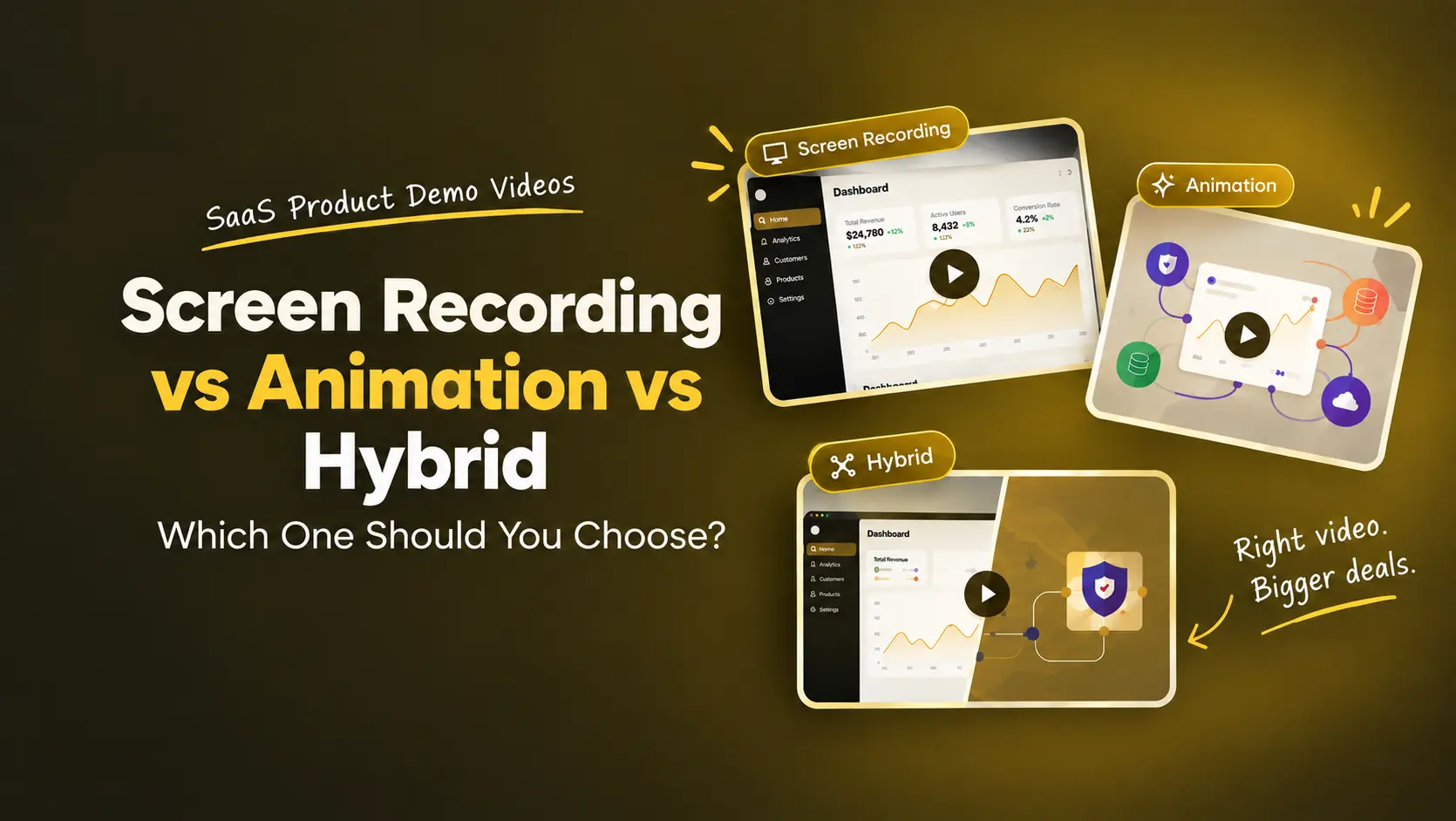
So when someone asks me which SaaS demo video style they should choose, I usually look at three options:
- Screen recording
- Custom UI animation
- Hybrid video
If you want to see the approach I’m discussing, you can watch the full video here:
Screen Recording: When Showing the Real Product Matters
Screen recording is the most straightforward option.
You open the product, start recording, and walk the viewer through what it does.
For many SaaS companies, that is enough. But when I need to explain a feature in detail, I prefer showing the actual product. The viewer can follow the cursor, see where I click, and understand how the workflow works.
That makes screen recording particularly useful for:
- Feature walkthroughs
- Product tutorials
- Internal training
- Customer onboarding
- Technical demonstrations
- Early-stage product presentations
It is also fast and inexpensive.
You can record a product demo using tools such as Screen Studio or Loom and get a working version out quickly.
But there is a catch.
A raw screen recording can look unfinished.
If the recording has poor audio, unnecessary clicks, long pauses, inconsistent cursor movement, or badly framed screens, the viewer notices.
I have also seen people zoom into interfaces so much that everything becomes pixelated. Instead of making the feature easier to understand, the video ends up looking less professional.
So if you choose screen recording, don't assume that “record and upload” is enough.
A clean recording, good audio, clear narration, and sensible editing can make a big difference.
When I would choose screen recording
If the main purpose is showing how the product works, I would start here.
For example, if you're submitting a YC application or creating an internal training video, I wouldn't spend weeks producing something that doesn't need that level of production.
Get the product on screen. Explain it clearly. Move on.
Custom UI Animation: When the Product Needs More Than a Screen Recording
There are things a screen recording simply cannot show well.
Imagine you're selling an API security platform.
You can show the dashboard. You can show where a user clicks. But how do you visually explain what happens to the data behind the scenes?
Or imagine your SaaS product uses AI to process thousands of pieces of information and produce an output.
The interface can show the result.
It doesn't necessarily show the story behind it.
This is where custom UI animation becomes useful.
For these videos, we recreate the product interface in tools such as Figma or Illustrator and animate it using tools such as After Effects.
The advantage is control.
I can decide exactly which part of the interface appears, what the viewer looks at, and how one idea connects to the next.
I can also combine the UI with diagrams, motion graphics, numbers, and other visual elements when the concept requires it.
This is particularly useful when I'm trying to explain something that cannot be physically seen inside the product.
Animation is also useful when the product is changing
There is another reason I sometimes recommend custom UI animation.
SaaS products change quickly.
A button gets moved. A dashboard gets redesigned. A feature gets renamed.
If every frame of your video is a literal screen recording, those changes can make the video outdated.
With custom UI animation, I can simplify the interface and remove details that don't matter to the story.
That doesn't mean the video will never need an update. But it can reduce how dependent the video is on small product changes.
The trade-off
Custom animation takes more time and expertise than a screen recording.
For the type of SaaS videos I discuss here, I would generally expect something in the range of 3,000–8,000, with a production timeline of roughly 2–6 weeks.
The actual cost and timeline depend on the scope, number of scenes, complexity of the product, animation style, and production team.
So I don't recommend animation simply because it looks more premium. I recommend it when the communication problem requires it.
If you want a more detailed breakdown of what goes into explainer video pricing, we’ve covered it here: How Much Does an Explainer Video Cost?
Hybrid Videos: The Option I Recommend When You Need Both
Sometimes I don't want to choose between the real product and animation.
I want both.
That's where a hybrid video works well.
We can show the actual product when we need to prove how a feature works, then use animation to explain the bigger idea around it.
For example, imagine a cybersecurity SaaS company.
I might show the actual dashboard when explaining the product interface.
Then, when I need to explain how the security system works behind that interface, I can move into animation.
The viewer gets the proof of a real product without forcing the entire video to stay inside the product interface.
That is the main reason I like the hybrid approach for certain videos.
It can give you the authenticity of screen recording while allowing more visual control where it is needed.
For this type of video, I would generally look at a budget of around 1,500–3,000, depending on the scope.
So, Which One Should You Choose?
This is the framework I use.
If you're selling to an enterprise buyer
I would consider custom UI animation.
Enterprise buyers often need more than a feature walkthrough. You may need to explain security, infrastructure, workflows, business impact, or a larger product concept.
Animation gives you more room to explain those ideas.
If you're explaining a product that doesn't exist yet
Again, I would lean towards custom animation.
You cannot screen record something that hasn't been built.
Animation allows you to show the product vision without pretending that a finished interface already exists.
If you're making a social ad
I would also consider animation.
Social videos have very little time to explain what you're selling. You may need to move between the problem, product, benefit, and proof quickly.
Animation gives you much more control over what appears on screen.
If you're creating internal training
Keep it simple.
Screen recording is usually enough.
The people watching already need to understand the product. They don't necessarily need a highly produced marketing video.
If you're submitting a YC application
I wouldn't overproduce it.
A clear screen recording with good narration can do the job.
The goal is to explain the product, not spend your time making it look like a television commercial.
we’ve also looked at how YC startups approach their launch videos, if you want to see some examples: YC Startups Nail Their Launch Video.
If you're creating a homepage hero video
This is where I often consider hybrids.
Your homepage is usually the first place a potential customer encounters your product.
Showing the actual product gives them something concrete to understand. Animation can then help explain the bigger value proposition without forcing the entire video to become a product walkthrough.
If you're sending a pre-demo video to a prospect
Again, hybrids can work well.
You can show enough of the real product to make it credible while using animation to explain the parts that are difficult to demonstrate through the interface.
Don't Forget the Audio
There is one thing I would tell every team making a product video:
Pay attention to the audio.
I've seen companies spend a lot of time on the visuals and then use poor-quality audio.
Viewers are generally more forgiving of an average visual than they are of difficult-to-listen-to narration.
You don't necessarily need an expensive studio.
Start with a decent microphone and a quiet recording environment. If you're not comfortable recording the voice yourself, use a good-quality professional voiceover.
The narration should be clear, the volume should be consistent, and there shouldn't be distracting background noise.
Don't Choose the Style Before You Know the Job
After working on so many SaaS product videos, this is probably the biggest lesson I have learned:
Don't start with the video style. Start with the job the video needs to do.
Ask yourself:
- Who is going to watch this?
- What do they need to understand?
- Where will they watch it?
- Is the real product important to the story?
- Do I need to explain something that cannot be seen in the interface?
- How often does the product change?
- How much time and budget do I have?
If the answer is about showing the real product, start with screen recording.
If you need to explain something abstract, present a product that doesn't exist yet, or create a more controlled marketing experience, consider animation.
If you need both product proof and a more polished visual story, consider a hybrid.
There isn't one format that works for every SaaS company. The right video is the one that makes it easiest for your specific audience to understand what you're selling.
And before you start recording anything, write the script first. We’ve shared the SaaS video script framework we use at What a Story if you want a practical starting point.
Once the script is clear, the right production approach usually becomes much easier to decide.