

.webp)
The final video asset gave us a clean, highly engaging visual tool to explain our platform in seconds. It made our value proposition clear from the moment someone hits our homepage.
Running an auto body shop involves more than repairing vehicles. Teams have to manage production tasks, customer updates, documents, repair information, calls, and day-to-day coordination at the same time.
Impactify had built an AI-powered claims management platform to bring these workflows together, but explaining a platform with multiple connected features presented a communication challenge.
The video needed to show why the software matters before explaining how the software works.
The goal was to help body shop owners quickly recognize familiar operational problems and then understand how Impactify fits into their existing workflow.
Building the Story Around a Real Body Shop Day
Rather than opening with a list of software features, we started with the environment Impactify's customers already know.
The opening shows a body shop team dealing with:
- Customer follow-ups
- Missed calls
- Production questions
- Paperwork
- Scattered tasks
- Pressure from unfinished work
The voiceover establishes the problem directly:
“Running a body shop is hard work.”
From there, the story moves from the daily workload to Impactify's role as the software layer that connects and automates key processes.
This gave the video a clear progression:
The problem - the pressure - the software - the workflow - the outcome
Making a Complex AI Product Easy to Follow
Impactify covers several areas of body shop operations, including workflow management and customer communication.
Instead of explaining every feature independently, we grouped the product story around the problems it addresses.
The script focuses on examples such as:
- Missed or forgotten tasks
- Missing repair documentation
- Customer status updates
- Production coordination
- Repetitive communication
- Operational time spent on manual follow-ups
This approach kept the narrative centered on the body shop owner's day rather than on technical product terminology.
The product is introduced as a practical solution to those problems, with its dashboards and AI assistant supporting the story.
Creating a Visual Style Around the Customer's World
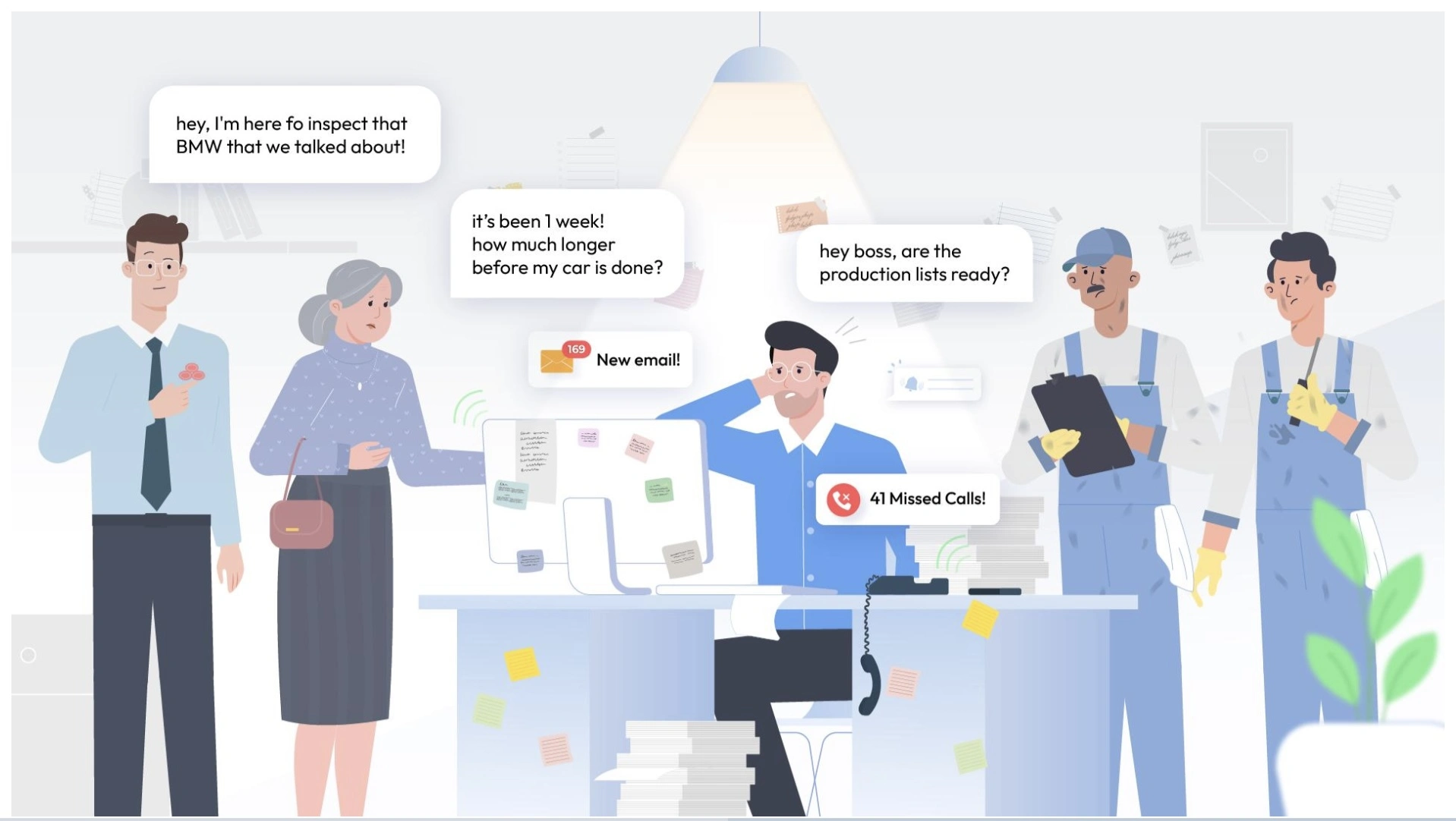
The visual direction was designed around the people who use the software.
The opening scene places the viewer inside a busy body shop, with different characters representing the competing demands on the team.
Customer messages, missed calls, documents, production questions, and other interruptions appear around the central character.
This creates an immediate visual representation of the problem described in the voiceover.
Once Impactify enters the story, the visual language becomes more product-focused, allowing the interface and workflow animations to carry more of the explanation.
Simplifying the Product UI Through Custom Animation
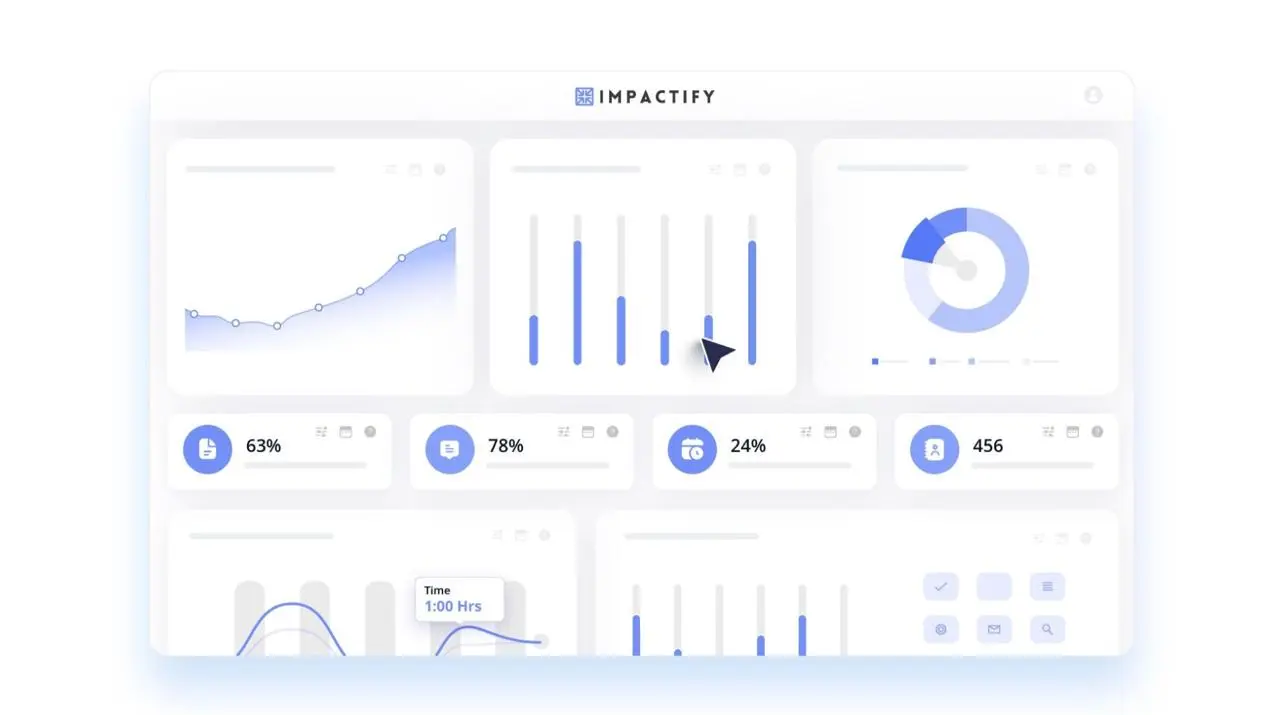
Showing raw software screens would have made several scenes difficult to follow.
We therefore simplified key UI elements and rebuilt them as animation-ready visuals.
Important product actions could then be introduced exactly when they were mentioned in the voiceover, including:
- Live workflow dashboards
- Customer communication
- Task organization
- AI-assisted communication
- Production tracking
- Digital workflow updates
This allowed the viewer to understand the product through a combination of interface, movement, and context, rather than relying on screenshots alone.
Stylescapes and Storyboarding Before Animation
Before moving into full production, we established the visual direction through stylescapes.
This helped define the:
- Character style
- Typography
- Interface treatment
- Graphic elements
- Color direction
- Overall animation language
The storyboard then mapped the script scene by scene.
This was particularly important for Impactify because the video moved between real-world body shop situations and software-driven workflows. Establishing those transitions before animation helped keep the story visually consistent.
Voiceover, Sound Design and Social Cutdown
The final master video runs approximately 84 seconds, giving the product enough time to establish the problem, explain the platform, and close with a clear call to action.
The animation was paired with professional voiceover, background music, and UI-focused sound effects to support key interactions without competing with the narration.
We also created a 30-second cutdown from the master video for shorter-form marketing placements.
The shorter version focuses on the strongest opening problem and selected product benefits, giving Impactify a second asset for digital advertising and social distribution.
Deliverables
Working Experience With What a Story
The Takeaway
For software serving a specialized industry, the challenge is often explaining the product in terms the customer already understands.
For Impactify, we started with the daily pressure inside a body shop and used that as the foundation for the product story. The result was a short explainer that introduces the problem first, shows where the software fits, and gives the audience a clear view of how the platform supports the workflow.


