

The truth is, most SaaS products do not lose leads or conversions because they lack great features. Instead, they lose because the prospects failed to understand the product in the first place.
Your potential buyers today are least interested in reading PDFs or sifting through catchy carousels on social media. They want a quick demonstration to make a quick decision whether your product fits their needs or not.
And this is pretty much where most product demo videos fail. Instead of guiding the viewers about the product, they bombard them with boring screen recordings or lazy scenes that make zero sense.
A strong product demo video does the opposite.
Understanding the core frameworks of video creation can help SaaS teams simplify complex workflows and drastically improve product comprehension.
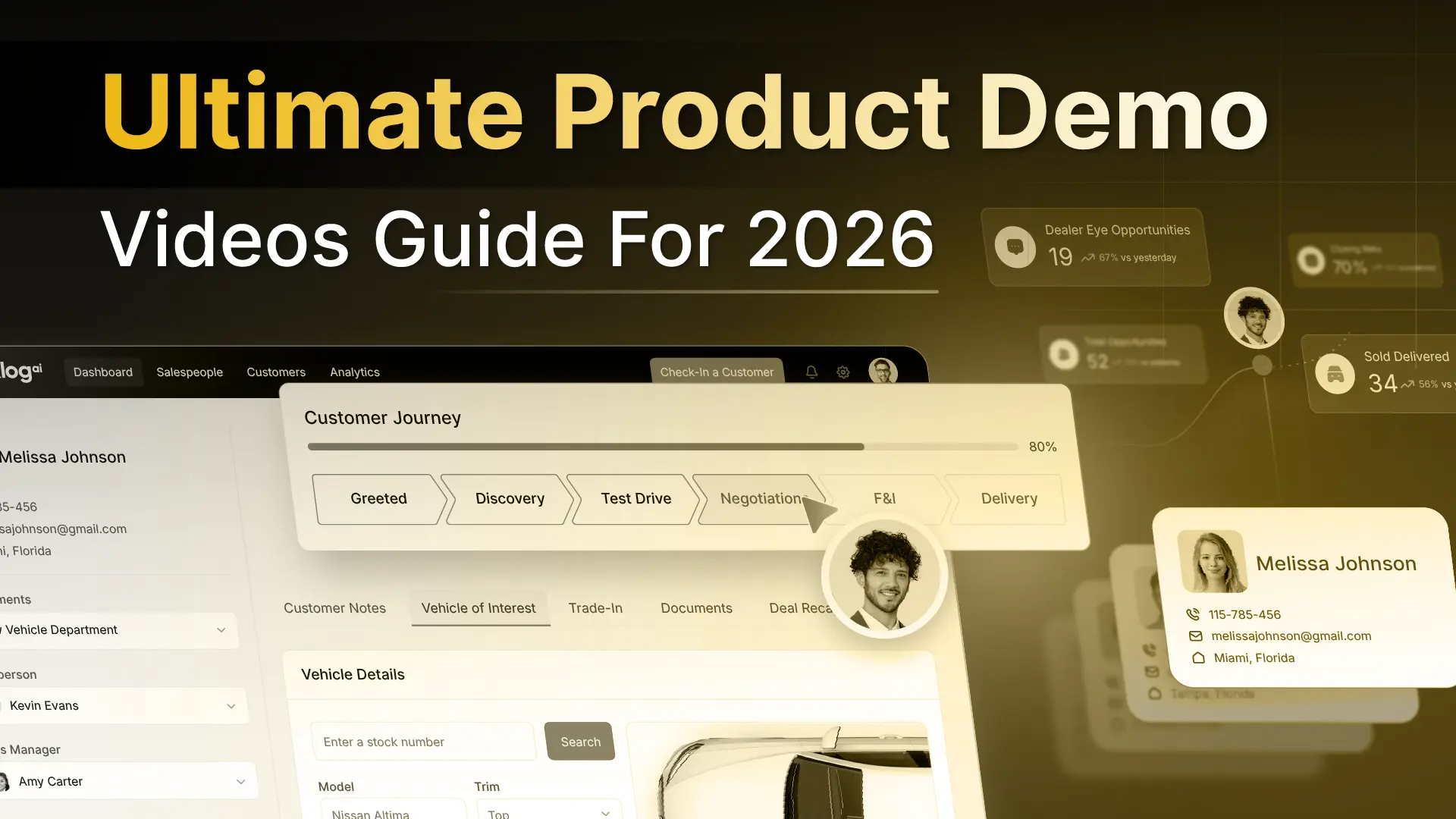
In this complete product demo video guide, we help SaaS teams, product managers, and marketers understand the definition of these videos, their impact on the marketing funnel, and the exact step-by-step process required to create the best software demos.
Let’s begin.
What are Product Demo Videos?
A product demo video showcases a software product in motion, helping potential buyers quickly understand what the product does and how it solves a specific problem.
Simply, these videos explain the workflows and usability of a product through storytelling, visual elements, and motion graphics.
Most SaaS teams get this wrong because they treat demo videos as documentation. They try to “cover” the product instead of guiding the viewer through a meaningful slice of it. The result is a video that looks thorough but creates confusion.
A well-crafted product demo video enhances the clarity of your product. It should serve as the perfect digital salesman for your product and offer a clear understanding.
Now that you know why demo videos play an integral part in helping SaaS brands grow and incentivize marketing & sales processes, check out the 7 most common product video types:
Types of Product Demo Videos Loved By Marketers
Most SaaS teams overcomplicate this step. They create multiple demo videos without a clear reason for each one, which often confuses buyers internally and weakens positioning externally.
In practice, almost every effective product demo video falls into one of three buckets. Rather than the format, the difference in style is always intentional.
Here Are The 7 Most Common Video Types:
1. Animated UI Demo Videos
Animated UI demo videos showcase the product’s interface and functionality using motion graphics. Replacing screen recordings, they’re ideal when the product is evolving and requires quick demonstrations with clarity, pacing, and visual guidance.
2. Live-Action Demo Videos
Live-action demo videos offer a dynamic viewing experience as they combine real people for better product communication. This approach humanizes the software and helps boost relatability, usability, and team collaboration.
3. Hybrid or Mixed Media Demo Videos
Often known as multimedia animation videos, these videos blend animated UIs, screen captures, and live-action elements such as humans, props, etc. Often used by brands like Slack, Grammarly, etc., this format allows brands to explain workflows clearly.
4. Walkthrough Demo Videos
As the name suggests, these demos guide viewers/users through a specific task or workflow inside the product. Since they’re mostly instructional-based, users can expect a clear outcome while watching the video and use the product effectively.
5. Launch Demo Videos
These videos are primarily used for launching a new product, introducing a new feature, or a major update. Product Launch videos are created by SaaS teams to quickly explain what’s new, its functionality, and how it fits into existing workflows without going deeper into details.
6. Teaser Demo Videos
Teaser demo videos are short, highly appealing, and curiosity-driven animated pieces designed to spark interest. Instead of explaining, these videos just highlight a problem and hint at the solution without revealing the entire premise.
7. App Demo Videos
App demo videos largely and specifically focus on offering viewers mobile product experiences. These product videos showcase gestures, navigation, and use cases within the app environment.
Now, let’s understand the usability of each product demo video type and how SaaS teams integrate it into their marketing and support workflows:
Now, explore why these videos matter today even more.
Why Product Demo Videos Matter for SaaS Growth?
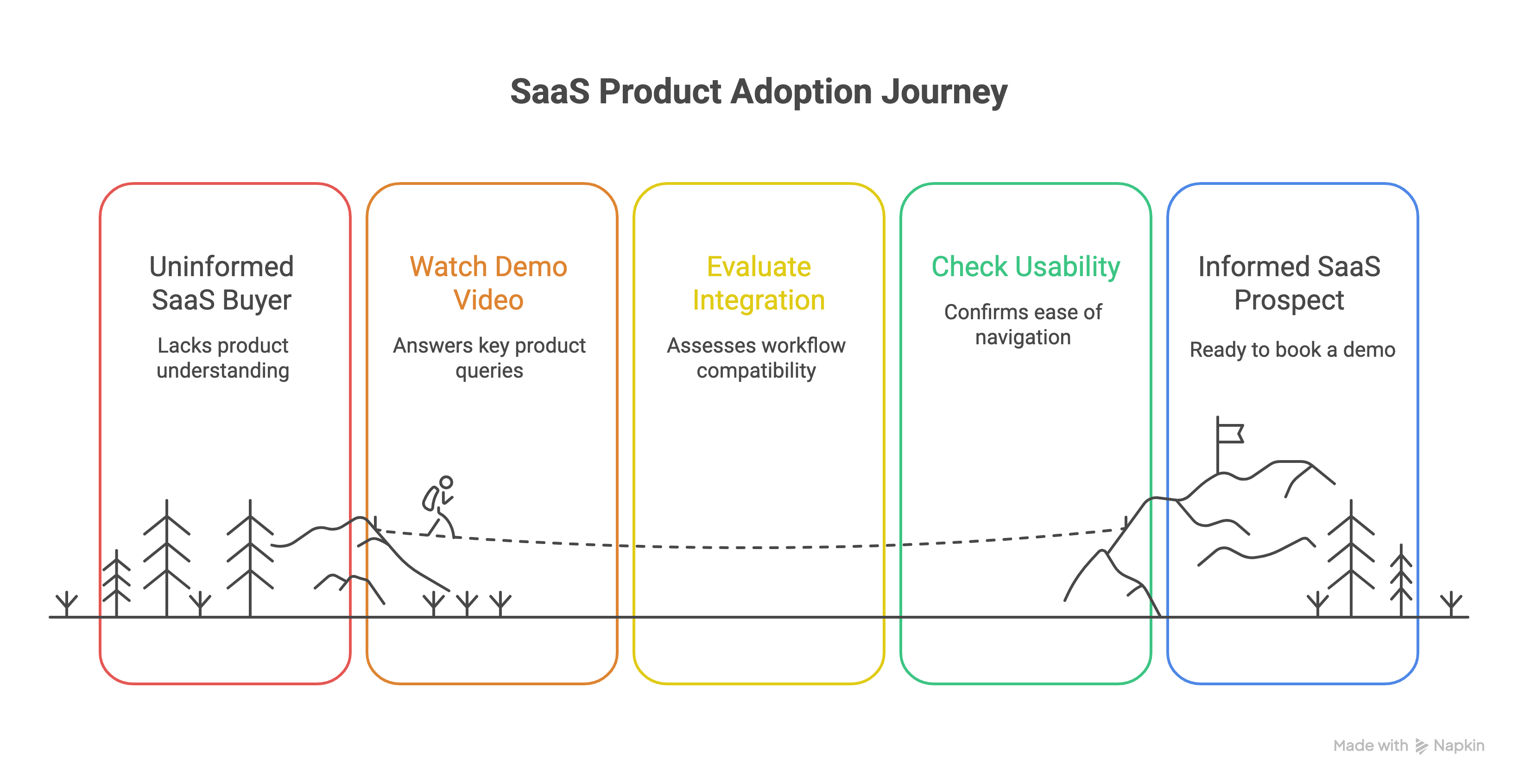
Demo videos are critical because SaaS buying decisions are no longer driven by feature lists alone.
Instead, they’re now based on how quickly the video answers their queries:
- Can this product solve my enterprise or business problem?
- Can it smoothly integrate into my workflows without additional setup costs?
- Is it easy for my team to navigate, adopt, and use?
- Is it worth my time to explore and possibly book a demo of it?
A well-made product demo video would possibly answer these questions in under 2-3 minutes.
From the marketing perspective, demo videos help reduce friction on landing pages. They simply replace long walls of text with credible and appealing visual proof.
Whereas if you talk about how these videos impact sales, they simply shorten your sales cycles.
Whenever prospects land on your website, they know what your product’s capabilities are within 60-90 seconds. Their objections shift from “What does this do?” to “How would this work for us?”. Ultimately, for salespeople, that is a much healthier conversation.
For product and onboarding teams, demo videos largely reduce cognitive load. Rather than forcing users to learn through trial and error, demos allow them to explore the correct and easy path forward.
In the end, this directly impacts activation and feature adoption.
The faster someone understands your product, the faster they take action. Product demo videos exist to make that understanding effortless.
Real Product Demo Video Examples That Boosted Conversions
High-performing product demo videos contain patterns that make them stand out from average product videos. These patterns are related to building & holding the viewer's attention, storytelling, and visual flow.
More than that, the best product videos begin by addressing the viewer and not the product. You might say: Isn’t it too obvious for a good video to follow this approach? What’s so extraordinary about that?”
In reality, it’s an important element that many brands tend to sideline, thereby focusing more on making the video highly appealing rather than contextually rich.
Below are a few excellent product demo video examples that pass the test:
1. Product Explainer for Fronter
Fronter’s product demo video is an excellent example of how SaaS teams can blend live media and animation to create stunning videos.
The product video carries the dynamic motion graphics approach, bringing the website mock-ups to life with seamless transitions.
This animation style is crucial for SaaS teams as it effectively helps demonstrate complex product features using appealing icons & workflows.
2. Product Launch Video for Membrain's Business Intelligence
Right from the beginning, the video starts right on the money with an excellent hook, focused on highlighting Elevate's power in lead generation and outreach.
Produced with minimal motion graphics, the video incorporates accurate UI mockups and product visuals to represent real functionality.
It’s subtle, carries a uniform background, and leverages a problem-solution approach that works wonders for SaaS teams globally.
3. Tech Product Demo Video for Jira Plugin
Unlike generic product demo videos that begin with unnecessary exaggeration of problems, this video cuts through with a clear approach - Drop a context and quickly introduce the product.
The video employs a 2D animation and motion graphics style, specifically utilizing UI animation to showcase the Jira plugin's features.
Since it’s a technical product and may end up overwhelming viewers, the video smartly uses subtle UI animations to clearly communicate product value.
4. Claude Code in Slack
Not many brands dare to use minimal and fast-paced animation styles with their product demos. However, Claude has beautifully executed that.
This video deploys very quick and almost subliminal cuts and animations while featuring Slack’s interface. More than that, it effortlessly demonstrates how developers can leverage Claude inside their Slack conversations and use it to identify errors, debug, generate a report, etc.
The video relies on brief glimpses of the activities happening to convey the product’s USP rather than throwing fancy elements or loud transitions.
5. Nano Banana Pro: Your new creative partner
Nano Banana’s product demo video deploys a dynamic and fluid animation style, coupled with seamless transitions and transformations of visual elements.
By using bright & detailed visuals, the video successfully showcases the AI model’s ability to create intricate infographics, brand visuals, image generation, and video editing.
Not to forget, the script is concise, impactful, and benefits from compelling voice-over. It focuses on the benefits and creative potential of Nano Banana Pro, positioning it as a "new creative partner”.
6. What is Slack
Slack has been a brand that has consistently produced amazing videos for their marketing purposes. This one titled, Learn about Slack, is no different.
Entirely made with screengrabs of the app in use and a cheerful and simple voiceover, this video beautifully explains everything you need to know about the app, including how to use it.
7. IKEA
The biggest challenge of online shopping is the skepticism of whether you get what you pay for.
IKEA eliminates that with their augmented reality app, IKEA Place.
The video does a wonderful job of explaining what the app does with the help of step-by-step walkthroughs and real-life scenarios, including the kind of issues you might run into with normal online shopping.
It is a very straightforward and simple video but the best part about it is that it's relatable to an audience of various different locations and homes.
Product demo videos convert not because they are impressive, but because they are intentional.
Read Also: Explainer Video ROI Guide for 2026
How to Make Product Demo Videos?
Good product demo videos boost awareness and build brand identities. Great product videos help generate conversions and increase customer lifetime value in the long run.
Designing an effective walkthrough requires a deep understanding of target audience demographics - specifically their attention spans, pain points, and buying behavior.
Whether you are building it internally or collaborating with an external team, here is the standard production framework required to create successful product demo videos:
1. Defining Clear Objectives
Most amateur creators jump straight into writing a script before establishing a goal. That is the first major mistake. Before touching the storyboard, you must outline the exact objective of your video.
Is it aimed to generate free-trial sign-ups, boost top-of-funnel brand awareness, or streamline user onboarding?
2. Set the Story & Structure
Strong product videos generally proceed in 3 phases: Premise [context], Action, and Outcome.
This is the time of preparing the script and initial storyboarding. Your premise offers and anchors the viewers in a familiar problem. Next, the action phase helps them understand how your product comes into the picture and solves their problem.
The last outcome stage helps them visualize the solution and final value. Also, it’s important to design the storyline in a way that demonstrates rather than just states the features.
3. Illustration Designing & Visual Elements
Product videos can be produced in both animated and non-animated styles.
If you decide to make an animated product demo video, you must ensure that different elements, such as icons, characters, camera angles, voiceover, and backdrops, match your product’s understanding.
For example, a dedicated SaaS product video shouldn't follow a generic commercial design style. It needs to be highly product-oriented, utilizing smooth user interface (UI) animations, minimal functional icons, and clear workflow simulations.
(Note: If your team lacks the internal design resources to animate complex interface workflows cleanly, you can delegate this to our professional animation team instead).
4. Background Voiceover and Music
A voiceover sets the emotional pace of any product demo video. Therefore, your choice must sound confident, neutral, and entertaining rather than salesy.
Alongside, background music is also necessary to set a narrative. They should hook and guide viewers rather than overpower the visuals. Usually, rhythmically consistent tracks work best because they complement the voiceover without distracting viewers.
Together, voiceover and music should reduce friction. If the viewer remembers the soundtrack more than the product flow, something has gone wrong.
5. Final Animation/Video Editing
This is the final stage of building high-performing product videos. Final animation and editing are not about unnecessary enhancements. Instead, they are about removing friction and ensuring every transition, zoom, and cut helps viewers understand your product.
On top of that, pacing is another critical aspect. A particular screen should only stay long enough to be understood, but not long enough to feel irritating. With decreasing attention spans, it’s important to keep screens fresh, quick, and movement-oriented.
At the end, the video must carry a strong CTA to allow viewers a chance to explore your product.
Great product demo videos feel simple because the thinking behind them is rigorous.
However, mistakes occur and end up ruining the entire viewing experience for your target audience. Here are a few mistakes you should always avoid:
Product Demo Video Mistakes SaaS Teams Keep Repeating
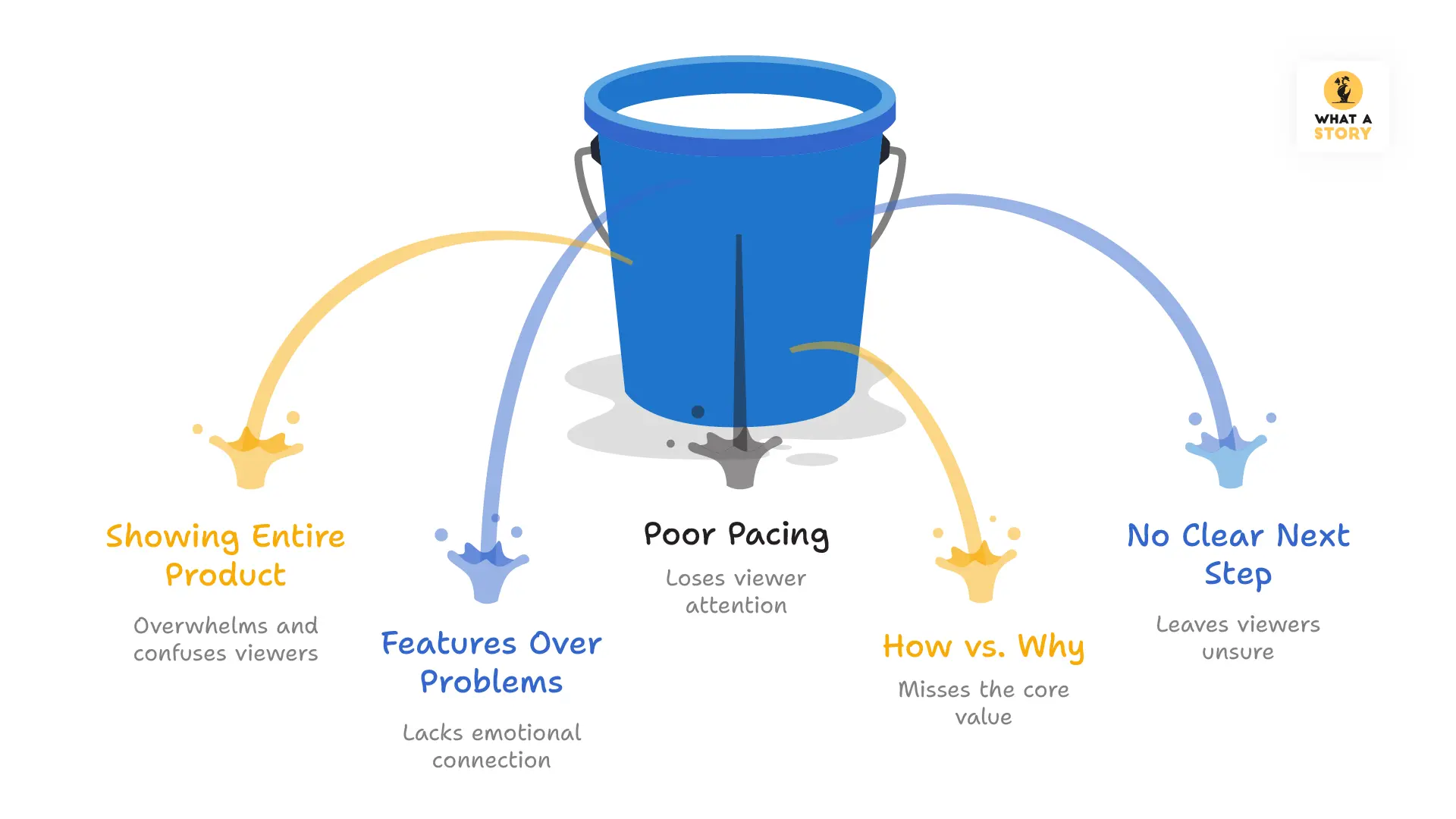
Most product demo videos fail not because of poor animation, weak tools, or low budgets, but because of flawed thinking.
Reason being - Most SaaS teams often approach demo videos as a production task instead of a communication exercise. This makes them optimized for showing more instead of showing what matters.
Check out the common mistakes SaaS teams make:
1. Trying to Show the Entire Product
The most common mistake is attempting to cover everything the product can do. This turns demo videos into long, exhausting tours that overwhelm instead of persuade. Buyers do not need completeness.
They need confidence that the product can solve their specific problem.
2. Leading With Features Instead of Problems
Many demos jump straight into functionality without establishing context. Without a familiar problem to anchor the narrative, even powerful features feel irrelevant.
Viewers need to see themselves in the situation before they care about the solution.
3. Poor or Inconsistent Pacing
Pacing is a silent deal breaker. Rushed demos can be stressful and difficult to follow. Slow demos feel patronizing and waste time.
Effective demos move at the pace a user would naturally explore the product if guided well.
4. Explaining How It Works Instead of Showing Why It Matters
Instruction is often mistaken for value. Explaining steps or settings does not communicate impact.
Benefits must be visible inside the workflow, not verbally justified or listed as claims.
5. Ending Without a Clear Next Step
Many demo videos end without direction. No call to action means no momentum.
Even a strong demo fails if the viewer is unsure of what to do next, whether that is starting a trial, booking a call, or exploring a feature.
Read Also: Why Your SaaS Demo is Not Generating Leads?
Product Demo Video Pricing: What You Are Actually Paying For
The cost of product demo videos varies widely across the video marketing industry because there are multiple factors involved, such as production style, video length, and the level of animation complexity.
Looking for a Production Partner? If you are looking to hire a team to handle your video creation from scratch, explore our custom product demo video production services for a personalized project quote.
If you are budgeting internally or comparing market rates, here is what you can expect to pay across different production tiers:
1. Basic Explainer Tier
For entry-level product demos, the estimated budget depends heavily on the amount of script structuring and visual guidance required to make the software clear.
These videos typically involve raw product walkthrough screen recordings, minimal UI zooming or highlighting, and zero character-led animation.
Average Industry Rate: $2,500 to $4,000 per minute.
2. Mid-Range Animation Tier
Medium-range product videos offer a significantly higher level of polish. These projects involve customized scripting, guided motion graphics, clean product UI animations, standard pacing adjustments, and seamless transitions—all of which drastically improve user comprehension.
Average Industry Rate: $4,500 to $6,500 per minute.
3. Premium & Custom Motion Tier
Premium-styled product videos require the deepest level of strategic positioning, high-end graphical assets, fully customized motion design, premium professional voiceover talents, and precise artistic animation direction.
Average Industry Rate: $7,000 to $10,000+ per minute.
Where and How to Use Product Demo Videos for Maximum Impact
Product demo videos serve different purposes across the marketing funnel. From creating first impressions on landing pages to accelerating sales conversations, improving onboarding, and reducing support friction, each use case requires a tailored demo video approach to maximize impact and conversions.
Why SaaS Teams Choose What a Story?
We believe that stories don’t just tell, they sell. The reason why 650+ SaaS teams choose What A Story is that we just don’t make videos look impressive. Instead, we go beyond that, making your products easier to understand.
And this starts with clarity, and not fancy animation. Every video is built around one central idea, a clear narrative, defined story flow, and an actionable CTA.
What a Story brings experience from across industries and domains to the table, allowing you to blend in and grow with our videos.
If you believe you have a product the world needs to know and use, just book a free strategy call with our video experts and let’s get rolling.
Conclusion
Product demo videos are more than just showcasing features. They are about helping your prospects and customers understand your product with minimal effort and friction.
When produced correctly, the right demo video can help you achieve your marketing objectives, boost conversions, and improve user experience.
Looking for a professional product demo video agency to do the heavy lifting for you? Check out our Product Demo Video Production Services.


